david_888
-
Posts
18584 -
Joined
-
Days Won
276
Content Type
Profiles
Forums
Events
Everything posted by david_888
-
კი წესით პირდაპირი უნდა დაინახოს უეფაის დააყეყენ თუ ლეგასის ეგ შენი ნებაა, ინსტალისას საშალე საერთოდ ფართიშენი ტავის თამატებითი მიკროფართშენებიანათ, თავიდან შექმენი და დამატებითსაც იმის მიხეევით შექმნის უეფაის აყენე თუ ლეგასის
-
ჯერჯერობით სანდოც და არასანდოც ეგ მეთოდია ))) გადაგაქ მეორე კომპზე და აკეთებ copy -paste
-
ჩემთან იგივეს მოიხმარს
-
შენ სისტემაზე 11-ს ოფიციალურად ვერ დააყენებ თუმცა მეც მსგავს დენიკინის დროინდელზე დავაყენე და მუშაობს იდეალურად, არანაირი ბაგები და აფდეითებიც მოდის, აქტივაციაც გადმოყვა დაყენების პროცესში მცირე შესწორება შევიტანე რეესტრში
-
მაგ ვიდეოსთვის დრაივერები აღარ გამოდის, მარა წესით წავა ძველიც მე ჯერ კი აგვისტოში მეყენა 11 და დგებოდა მაშინდელი დრაივერები
-
კაბელს ჩახსნი მაგ მომენტში და გაკეთებინებს ლოკალს
-
მივაყენე ჩემ დენიკინის დროინდელ კომპზე რეესტრის ჩასწორებით, თამაშები არაფერი მაქვს რო გავტესტო მარა თვითონ სისტემა შუსტრია, აფდეითები ეგრევე წამოღო, აქტივაციაც გადმოვიდა
-
პირდაპირ დააფგრეიდდი მერე, პახოდუ თო არ მოგეწონა დააბექროლებ
-
Radeon™ Software Adrenalin 21.10.1 Highlights Support For Microsoft® Windows® 11 Operating System Far Cry® 6 Up to 10% increase in performance in Far Cry® 6 @ 1080p Ultra Settings with raytracing enabled, using Radeon™ Software Adrenalin 21.10.1 on the 12 GB Radeon™ RX 6700 XT graphics card, versus the previous software driver version 21.9.2.RS-412 Up to 12% increase in performance in Far Cry® 6 @ 4K Medium Settings, using Radeon™ Software Adrenalin 21.10.1 on the 16 GB Radeon™ RX 6800 XT graphics card, versus the previous software driver version 21.9.2.RS-413 Up to 13% increase in performance in Far Cry® 6 @ 1440p Medium Settings with raytracing enabled, using Radeon™ Software Adrenalin 21.10.1 on the 8 GB Radeon™ RX 6600 XT graphics card, versus the previous software driver version 21.9.2.RS-414 Battlefield™ 2042 (Open Beta) Naraka: Bladepoint™ PlayerUnknown’s Battlegrounds™ DirectX® 12 Up to 11% increase in performance in PlayerUnknown’s Battlegrounds™ @ 4K Ultra Settings with DX12, using Radeon™ Software Adrenalin 21.10.1 on the 16 GB Radeon™ RX 6800 XT graphics card, versus the previous software driver version 21.9.2.RS-415 Fixed Issues Playing Horizon Zero Dawn™ for an extended period may lead to driver timeouts or game crash on some AMD Graphics products such as Radeon™ RX 6700 XT. Driver timeouts may be experienced while playing a game & streaming a video simultaneously on some AMD Graphics products such as Radeon™ RX 500 Series Graphics. Some users may experience high idle memory clock speed values when two or more monitors are connected to their system. Driver timeouts may be experienced while playing The Medium™ on some AMD Graphics products such as Radeon™ RX 6700 XT. On full GPU load, Radeon™ Software may incorrectly display higher than actual GPU power consumption values. While playing Wreckfest™ or Arma™ 3, image corruption may be experienced when viewing foliage. Known Issues Open Broadcaster Software™ may continue to run in the background after a user ends a recording session and closes the application. AMD Radeon™ Software may crash or become unresponsive while playing some DirectX® 11 games such as PlayerUnknown’s Battlegrounds™ with multiple displays connected in extended mode. Enhanced Sync may cause a black screen to occur when enabled on some games and system configurations. Any users who may be experiencing issues with Enhanced Sync enabled should disable it as a temporary workaround. Radeon performance metrics and logging features may intermittently report extremely high and incorrect memory clock values. AMD Link for Windows Known Issues Intermittent grey frame corruption might be observed when streaming with HEVC on certain configurations via an Internet connection. A workaround is to use the AVC encoding setting instead. Footnote RS-412 – Testing conducted by AMD as of September 30, 2021, on a test system comprised of a Ryzen 9 5900X CPU, 16GB DDR4, Radeon RX 6700 XT GPU, and Windows 10 Pro, with Radeon Software Adrenalin 21.10.1 and 21.9.2 on Far Cry 6. Game tested with ultra preset at 1080p, raytracing enabled. Performance may vary. RS-413 - Testing conducted by AMD as of September 30, 2021, on a test system comprised of a Ryzen 9 5900X CPU, 16GB DDR4, Radeon RX 6800 XT GPU, and Windows 10 Pro, with Radeon Software Adrenalin 21.10.1 and 21.9.2 on Far Cry 6. Game tested with medium preset at 4K. Performance may vary. RS-414 – Testing conducted by AMD as of September 30, 2021, on a test system comprised of a Ryzen 9 5900X CPU, 16GB DDR4, Radeon RX 6600 XT GPU, and Windows 10 Pro, with Radeon Software Adrenalin 21.10.1 and 21.9.2 on Far Cry 6. Game tested with medium preset at 1440p, raytracing enabled. Performance may vary. RS-415 – Testing conducted by AMD as of September 29, 2021, on a test system comprised of a Ryzen 9 5900X CPU, 16GB DDR4, Radeon RX 6800 XT GPU, and Windows 10 Pro, with Radeon Software Adrenalin 21.10.1 and 21.9.2 on PlayerUnknown’s Battlegrounds. Game tested with ultra preset at 4K, DX12. Performance may vary. Package Contents The Radeon Software Adrenalin 21.10.1 installation package contains the following: Radeon Software Adrenalin 21.10.1 Driver Version 21.30.25.01 for Windows® 10 and Windows® 11 (Windows Driver Store Version 30.0.13025.1000). Important Notes The Radeon™ Software Adrenalin 21.10.1 driver can also be installed on Radeon™ PRO Graphics products as an early version for testing. The Radeon Software Adrenalin 21.10.1 installation package can be downloaded from the following links: By clicking the Download button, you are confirming that you have read and agreed to be bound by the terms and conditions of the End User License Agreement (“EULA”). If you do not agree to the terms and conditions of these licenses, you do not have a license to any of the AMD software provided by this download. Radeon Software Adrenalin 21.10.1 Driver for Windows® 10 & Windows® 11 64-bit
-
გადაამოწმე აბა იქნებ ქონდეთ https://mouse.ge/a4techbloodym620t.html
-
-
მაიცა ეგ კიდე არსებობს? მე მეგონა მოქისტეს უკვე იმდენი ხანია არ მომხვედრია თვალში, ვაფშე რა ჯანდაბად დაამატეს რომელი bf პლეირი ითამაშებდა მაგას, მკვდრადშობილი რეჟიმი იყო
-
რელიზის მერეც თუ იგივე მოთხოვნები ექნება რაც ეხლაა ვერ გაამართლებს 11, 95% ვერ გადავა
-
კი, ნორმალურია
-
დადე აბა სქრინები, ასევე წაშლა თავიდან შექმნა სცადე
-
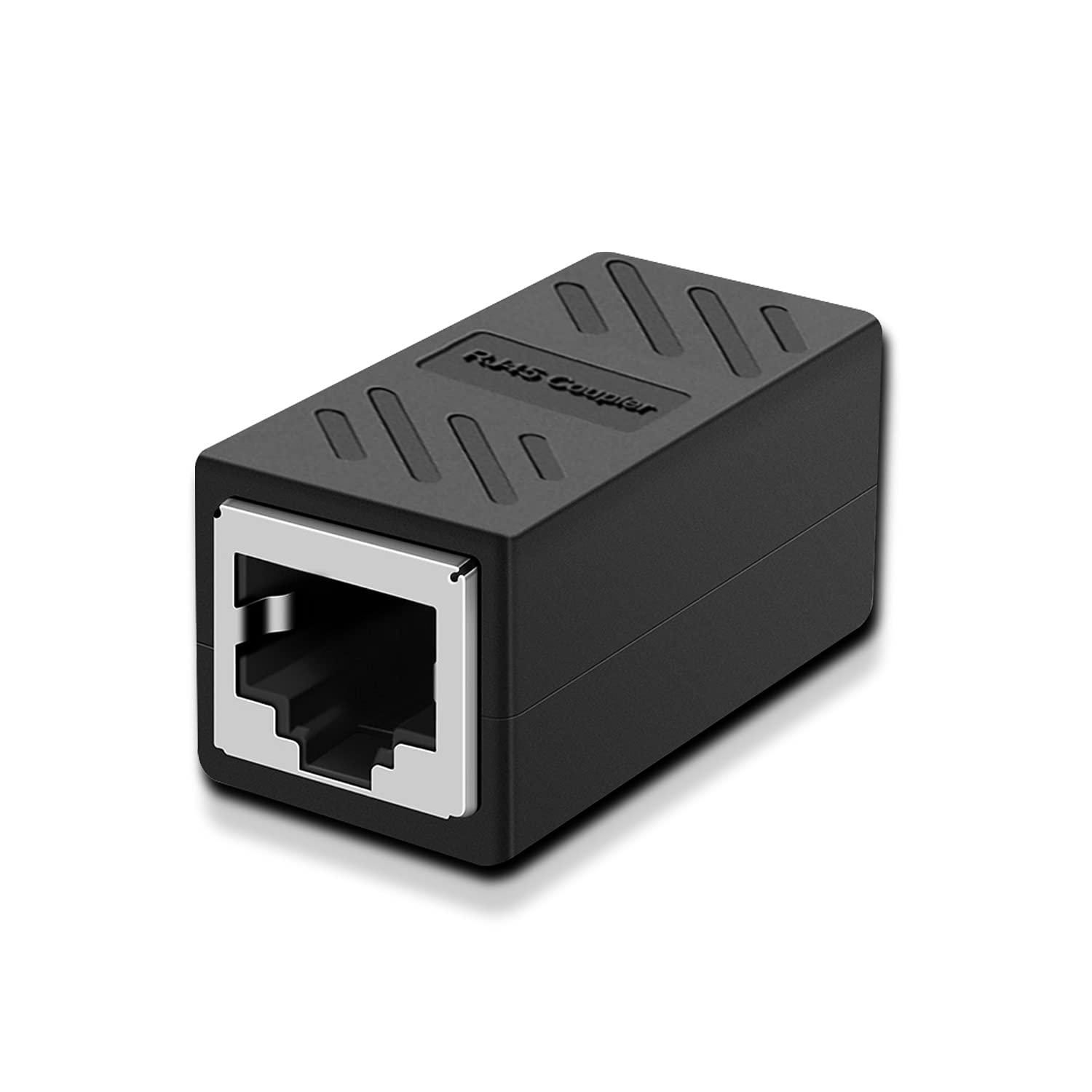
დააგრძელე კაბელი რა პრობლემაა, ესეთი მაიმუნობა დაგჭირდება ყველაგან იყიდება, სადაც კაბელს დაითრევ ეგეც ექნებათ

-
დაფარვის ზონა პირობითია, სქელი კედლები თუა 8 ანტენიანიც ვერ ატანს
-
რუსეთში მაგარ ხოდშია ეს https://zoommer.ge/xiaomi-mi-router-4c-global-version
-
Radeon™ Software Adrenalin 21.8.2 Highlights Support For Myst™ Up to 6% increase in performance in Myst @ 4K Medium settings with Raytracing enabled, using Radeon™ Software Adrenalin 21.8.2 on the 16GB Radeon™ RX 6800XT graphics card, versus the previous software driver edition 21.8.1.RS-398 Aliens™: Fireteam Elite Little Nightmares II™: Enhanced Edition Fixed Issues Users may experience difficulties ending a recording session on Open Broadcaster Software™ when recording in H265/HEVC codec on some AMD Graphics products such as Radeon™ RX 6800 XT. While playing F1® 2021 in Split Screen mode, image corruption may be observed on one of the players’ screens. Radeon software application may become unresponsive when some users attempt to launch the application. While playing Control™ using DirectX® 12, users may observe corrupt light rays on some AMD Graphics products such as Radeon™ RX 6600 XT. Upgrading to the latest Radeon™ graphics driver may cause the auto update feature on Ryzen™ Master to stop working. Known Issues Open Broadcaster Software™ may continue to run in the background after a user ends a recording session and closes the application. Visual artifacts in PAYDAY™ 2 may be observed during gameplay on some AMD Graphics products such as Radeon™ RX 6800 XT. AMD is investigating a black screen issue that may be experienced while playing Myst™ or Kingshunt™ on some Radeon™ RX 6800 XT graphics products. A temporary workaround is to disable Performance Metrics Overlay or Radeon™ Image Sharpening in Radeon Software. Driver timeouts may be experienced while playing a game & streaming a video simultaneously on some AMD Graphics products such as Radeon™ RX 500 Series Graphics. Radeon Software may crash or become unresponsive while playing some DirectX® 11 games such as PlayerUnknown’s Battlegrounds™ with multiple displays connected in extended mode. Playing Horizon Zero Dawn™ for an extended period may lead to a driver timeout or game crash on some AMD Graphics products such as Radeon™ RX 6700 XT. Enhanced Sync may cause a black screen to occur when enabled on some games and system configurations. Any users who may be experiencing issues with Enhanced Sync enabled should disable it as a temporary workaround. Connecting two displays with large differences in resolution/refresh rates may cause flickering on Radeon RX Vega series graphics products. Radeon performance metrics and logging features may intermittently report extremely high and incorrect memory clock values. AMD Link for Windows Known Issues Intermittent grey frame corruption might be observed when streaming with HEVC on certain configurations via an Internet connection. A workaround is to use the AVC encoding setting instead. Footnotes RS-398 – Testing conducted by AMD as of August 18, 2021 on a test system comprised of a Ryzen 9 5900X CPU, 16GB DDR4, Radeon RX 6800 XT GPU with Radeon Software Adrenalin 21.8.2 and 21.8.1 on Myst. Game tested with Medium preset at 4K with ray tracing enabled. Performance may vary. Package Contents The Radeon Software Adrenalin 21.8.2 installation package contains the following: Radeon Software Adrenalin 21.8.2 Driver Version 21.20.25.01 for Windows® 10 (Windows Driver Store Version 27.20.22025.1006). The Radeon Software Adrenalin 21.8.2 installation package can be downloaded from the following links: By clicking the Download button, you are confirming that you have read and agreed to be bound by the terms and conditions of the End User License Agreement (“EULA”). If you do not agree to the terms and conditions of these licenses, you do not have a license to any of the AMD software provided by this download. Radeon Software Adrenalin 21.8.2 Driver for Windows® 10 64-bit Installing Radeon Software Adrenalin For detailed instructions on how to correctly uninstall or install Radeon Software Adrenalin, please refer to the following support resources: How-To Uninstall Radeon Software Adrenalin on a Windows® Based System How-To Install Radeon Software Adrenalin on a Windows® Based System NOTE: This driver is not intended for use on AMD Radeon products running in Apple Boot Camp platforms. Users of these platforms should contact their system manufacturer for driver support. When installing Radeon Software Adrenalin 21.8.2 for the Windows® operating system, the user must be logged on as Administrator, or have Administrator rights to complete the installation of Radeon Software Adrenalin 21.8.2. Radeon Product Compatibility Radeon Software Adrenalin 21.8.2 is compatible with the following AMD Radeon products. Radeon™ RX 6900/6800/6700/6600 Series Graphics Radeon™ RX 5700/5600/5500/5300 Series Graphics Radeon™ VII Radeon™ RX Vega Series Graphics AMD Radeon™ Pro Duo Radeon™ RX 500 / Radeon 500X Series Graphics Radeon™ RX 400 Series Graphics Mobility Radeon™ Product Compatibility Radeon Software Adrenalin 21.8.2 is a notebook reference graphics driver with limited support for system vendor specific features. AMD Radeon™ RX 6800M Series Graphics AMD Radeon™ RX 6700M Series Graphics AMD Radeon™ RX 6600M Series Graphics AMD Radeon™ RX 5700M/5600M/5500M/5300M Series Graphics AMD Radeon™ 600 Series Graphics AMD Processors with Radeon Graphics Product Compatibility Important Note for Laptop and All-In-One (AIO) PCs AMD recommends OEM-provided drivers which are customized and validated for their system-specific features and optimizations. If you experience issues using the Radeon™ Software Adrenalin driver package downloaded from AMD.com, please install the OEM-provided drivers for full support and compatibility. DESKTOP MOBILE AMD Ryzen™ Processors with Radeon™ Vega Graphics AMD Ryzen™ Mobile Processors with Radeon™ Vega Graphics AMD Ryzen™ PRO Processors with Radeon™ Vega Graphics AMD Ryzen™ PRO Mobile Processors with Radeon™ Vega Graphics AMD Athlon™ Processors with Radeon™ Vega Graphics AMD Athlon™ Mobile Processors with Radeon™ Vega Graphics AMD Athlon™ PRO Processors with Radeon™ Vega Graphics AMD Athlon™ PRO Mobile Processors with Radeon™ Vega Graphics
-
ჩართე და ნახე, მახევარ საათში როგორი ასიც არ უნდა იყო ფიზიკურად ვერ დახურავ 5 თავს, ნახევარი საათი ქატ სცენებს არ ეყოფა იგროკის და მიხედვით 40-50 წუთი უნდა თითო თავს
-
შენ პირველი ითამაშე ეტყობა მარტო, 5 თავია მანდ აგერ სრული Walkthrough
-
ნახვარი საათი ნამეტანი მგივიდა, 4-5 საათი დასჭირდება
-
ეგეც მაგ სიაშია თავისთავად
-
Radeon™ Software Adrenalin 21.8.1 Highlights Support For AMD Radeon™ RX 6600 XT Graphics Fixed Issues The Medium™ may crash after launching the game while running FrameView™. Known Issues Upgrading to the latest Radeon™ graphics driver may cause the auto update feature on Ryzen™ Master to stop working. A temporary workaround is to manually update Ryzen™ Master. While playing Control™ using DirectX® 12, users may observe corrupt light rays on some AMD Graphics products such as Radeon™ RX 6600 XT. Driver timeouts may be experienced while playing a game & streaming a video simultaneously on some AMD Graphics products such as Radeon™ RX 500 Series Graphics. Users may experience difficulties ending a recording session on Open Broadcaster Software™ when recording in H265/HEVC codec on some AMD Graphics products such as Radeon™ RX 6800XT. AMD Radeon™ Software may crash or become unresponsive while playing some DirectX® 11 games such as PlayerUnknown’s Battlegrounds™ with multiple displays connected in extended mode. Playing Horizon Zero Dawn™ for an extended period may lead to a driver timeout or game crash on some AMD Graphics products such as Radeon™ RX 6700 XT. Enhanced Sync may cause a black screen to occur when enabled on some games and system configurations. Any users who may be experiencing issues with Enhanced Sync enabled should disable it as a temporary workaround. Connecting two displays with large differences in resolution/refresh rates may cause flickering on Radeon RX Vega series graphics products. Radeon performance metrics and logging features may intermittently report extremely high and incorrect memory clock values. AMD Link for Windows Known Issues Intermittent grey frame corruption might be observed when streaming with HEVC on certain configurations via an Internet connection. A workaround is to use the AVC encoding setting instead. Package Contents The Radeon Software Adrenalin 21.8.1 installation package contains the following: Radeon Software Adrenalin 21.8.1 Driver Version 21.20.23.01 for Windows® 10 (Windows Driver Store Version 27.20.22023.1004). The Radeon Software Adrenalin 21.8.1 installation package can be downloaded from the following links: By clicking the Download button, you are confirming that you have read and agreed to be bound by the terms and conditions of the End User License Agreement (“EULA”). If you do not agree to the terms and conditions of these licenses, you do not have a license to any of the AMD software provided by this download. Radeon Software Adrenalin 21.8.1 Driver for Windows® 10 64-bit Installing Radeon Software Adrenalin For detailed instructions on how to correctly uninstall or install Radeon Software Adrenalin, please refer to the following support resources: How-To Uninstall Radeon Software Adrenalin on a Windows® Based System How-To Install Radeon Software Adrenalin on a Windows® Based System NOTE: This driver is not intended for use on AMD Radeon products running in Apple Boot Camp platforms. Users of these platforms should contact their system manufacturer for driver support. When installing Radeon Software Adrenalin 21.8.1 for the Windows® operating system, the user must be logged on as Administrator, or have Administrator rights to complete the installation of Radeon Software Adrenalin 21.8.1. Radeon Product Compatibility Radeon Software Adrenalin 21.8.1 is compatible with the following AMD Radeon products. Radeon™ RX 6900/6800/6700/6600 Series Graphics Radeon™ RX 5700/5600/5500/5300 Series Graphics Radeon™ VII Radeon™ RX Vega Series Graphics AMD Radeon™ Pro Duo Radeon™ RX 500 / Radeon 500X Series Graphics Radeon™ RX 400 Series Graphics
-
მე ეპიკზე მაქ